Showing posts with label inkscape. Show all posts

Monday, November 19, 2012

Population Growth: Seven Billion and Counting... -- International STEM Project

Wait until the robots start cloning us...
As the world's population has ballooned in the past three centuries researchers wait for the other pen to drop. Currently sitting at a cool 7 billion (and counting), researchers believe (based on their models) that the world's population will top out at 9.2 billion. In this 21st Century Math Project students will analyze the same data as the experts and make their own predictions. Which model best projects the world in 2050? I guess at the class’s 38th year reunion you can find out.

Name: Seven Billion and Counting…
Suggested Grade Level: 9-12 (Basic Algebra II, Precalculus skills)
Math Concepts: Scatterplot, Creating, Using and Analyzing Regression Functions, Patterns, Evaluating Predictions
Interdisciplinary Connections: Social Studies, Global Studies, Population
Teaching Duration: 3-4 Days (can be modified)
Cost: $5 for a 20 Page PDF (2 assignments, 1 project with answer key) 

The Product: After a careful analysis of population data by continent, students will use their chosen mathematical model to predict how the world’s population will breakdown in the year 2050.  

An authentic task? You're teasing me
right? Where's my drill and kill?!
Will it ever end? Most statisticians believe we will taper off our growth. They are expecting a logistic function although to date our population is freakishly exponential. In this 21st Century Math Project, students will investigate population of the different world regions over history. Students will begin by simply trying to observe a pattern, move to lines of best fit and finally have the freedom to choose their own non-linear best fit functions. This dataset yields some interesting conclusions for prediction and discussion especially in regards to the limitations of linear modeling.

Students will use the skills of patterns, constructing pie graphs, regression functions for modeling and using their equations to make predictions. What makes a model strong? Students will explore this question. This lesson is designed to work with a class set of TI graphing calculators and would work with an Advanced Algebra 1 class, Algebra 2 or PreCalculus.

That's like a lot of people, ya feel me?
People should, like, stop making babies
and stuff.
The final project is a challenging, multi-faceted task which needs certain skills to be built. To compensate, two assignments were added which help introduce the topic and skills. Thus a student’s understanding of the mathematics concepts will grow with their familiarity the topic of population.

-- "Seven Billion and Counting" -- using patterns to determine the world in 2050 and constructing pie graphs to represent 1750. 

-- "Predictive Models (the long and short of them)" -- students use linear models for global data for two different intervals (1750-2000 and 1975-2010). Students then are asked to develop their own non-linear regression functions.

Which all leads to the Mama…
This will shape the world for
generations to come. What can we do
to take action now?

-- "The World in 2050" -- students will compare the results of their 4 different results, use them to draw conclusion about modeling in general and will construct a pie graph representing the world in 2050.

I wrote this assignment relatively recently so I have only used it one time, but students were honestly intrigued by the study and the challenge of comparing their models to the experts. Others were interested in the observations that can be made in the population data by continent which certainly can generate some discussion.

EXTENSION: Population is a global issue with serious implications in terms of sustainability, natural resources and poverty. Using their models, students could create PSAs and other Presentations that can be viewed in the community.  

Will this blog go on forever? Will it live in the cloud forever? Are you someone from the year 2341, searching through Google’s cache? Did you find my laptop? If you found my laptop, there’s a really weird short with the battery that cases the screen to flicker every now and again. 21st Century Math Projects might live forever, but one day I may have to start a new company… 22nd Century Math Projects. 

Wednesday, October 24, 2012

OpenClipart.com -- Cool Website Spotlight


Need awesome, cool, free clipart that makes you say boomdiggy? Want to tweak it for your own liking for your own high school math project? Want to put your school’s logo on every picture you ever put on an assignment? If you read the blog on Inkscape, downloaded it and learned a little bit about node editing, you are totally ready for the next step -- Openclipart.org. Even if you aren’t ready to edit clipart, you can still get cool free clipart!

Free. Check. Awesome. Check. Boomdiggy. Check
Openclipart.org, is an active community where new, free clipart is added daily. For a number of projects, I have used this clipart. Of course, I have to put my own unique spin on it, but it certainly gives a solid base. For instance if a 21st Century Math Project needs me to draw a bonobo, I can find the best looking monkey image on the site and can use Inkscape to tweak it to make it look like my perfect swaggalicious bonobo. At least I didn’t have to draw a bonobo from scratch! 

Please stay tuned for the next bonobo focused 21st Century Math Project in development. Likely to be released in 2031. If you missed the Inkscape blog piece, check that out here: BOOMDIGGY

I might be a chimpanzee holding a wrench, but soon 
I'll look like a bonobo sans wrench.
It’s silly, but adding relevant clipart, using different text AND making a piece of paper look cooler does affect the perception of the assignment. This applies for children and adults. Now don’t get me wrong, if you add a piece of clipart, but don’t understand how to make the text fit around it (Wrap Text: Square with Justified text are my favorite options in Word).

Would you like a little more help with Inkscape? Let me know in the comments and I can get super nerdy-specific with screenshots that can help you get started making your own clipart! 

Thursday, October 11, 2012

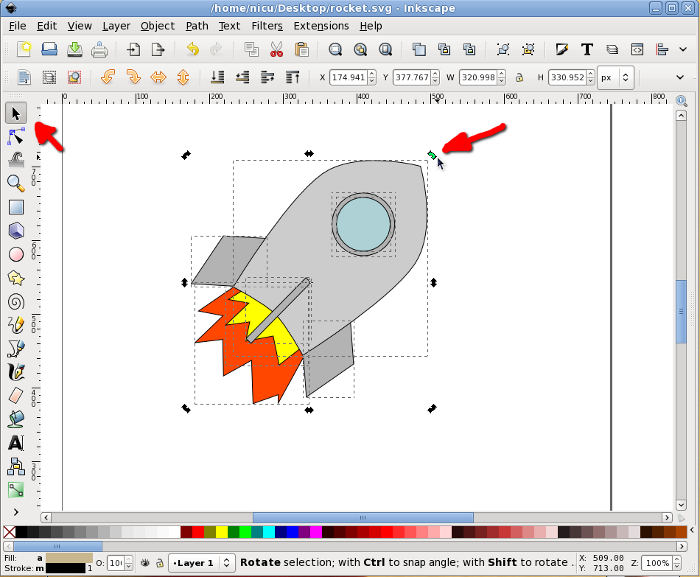
Inkscape -- Cool Software Spotlight

Drawing for the artistically skill-less
Can you not color inside the lines? Does pottery melt in your fingertips? Does the word watercolor make your skin crawl? If you answer yes to any of these questions you are just like Mr. 21st Century Math Projects. The Inkscape is for you and may help you create your next high school math project! Well maybe not, but… maybe. If you have ever toyed with a Photoshop program, Inkscape may be intuitive enough for you to pick up. It’s a free open-source software that creates vector art.

As far as I understand it, there are two main image types: rasters and vectors. Most people have experience drawing with rasters. This is like doodling on a digital picture of your ex-boyfriend's face. “Cutting” you out of a picture and putting you in front of the Grand Canyon although you’ve never been there. The major difference is that when you “stretch” raster images the quality of the picture will deteriorate and look blurry mess. Vector art (mathematics!) is created with lines, shapes and data so when you stretch it, everything is proportionally increased. This allows you to make things as big or as small as you like!

Creating a logo, no problem. You draw it once and make it as large or small you like.

Blast off!
So how does this help with 21st Century Math Projects? Pretty much everything in my projects I draw. From the silly faces to application problems to graphs is done on Inkscape. You don’t need to be a professional artist, but you will need to devote some time to learning how to get around the software (although anything that you’ll likely need is pretty easy to do). There are a fair amount of shortcut tricks using some previously created free vector images that can save you some time such as www.openclipart.org which I will share on the blog later.

Want to become Inkscape buddies? Holler in the comments. If you want some tips or images, let me know. 
Ninth, Tenth, Eleventh, Twelfth - NextLesson.org Ninth, Tenth, Eleventh, Twelfth - TeachersPayTeachers.com